How to share your coach profile and ask for reviews
Send your coach profile to clients on WhatsApp or anywhere else in one tap, so they can see it and leave a review that helps new clients choose you.
· Updated
You already coach people who rate you. Send them your UNAFFI profile and ask for a review: reviews show on your profile and next to every application you send, and they're what help someone new choose you. Sharing takes one tap.
1. Where the Share button is
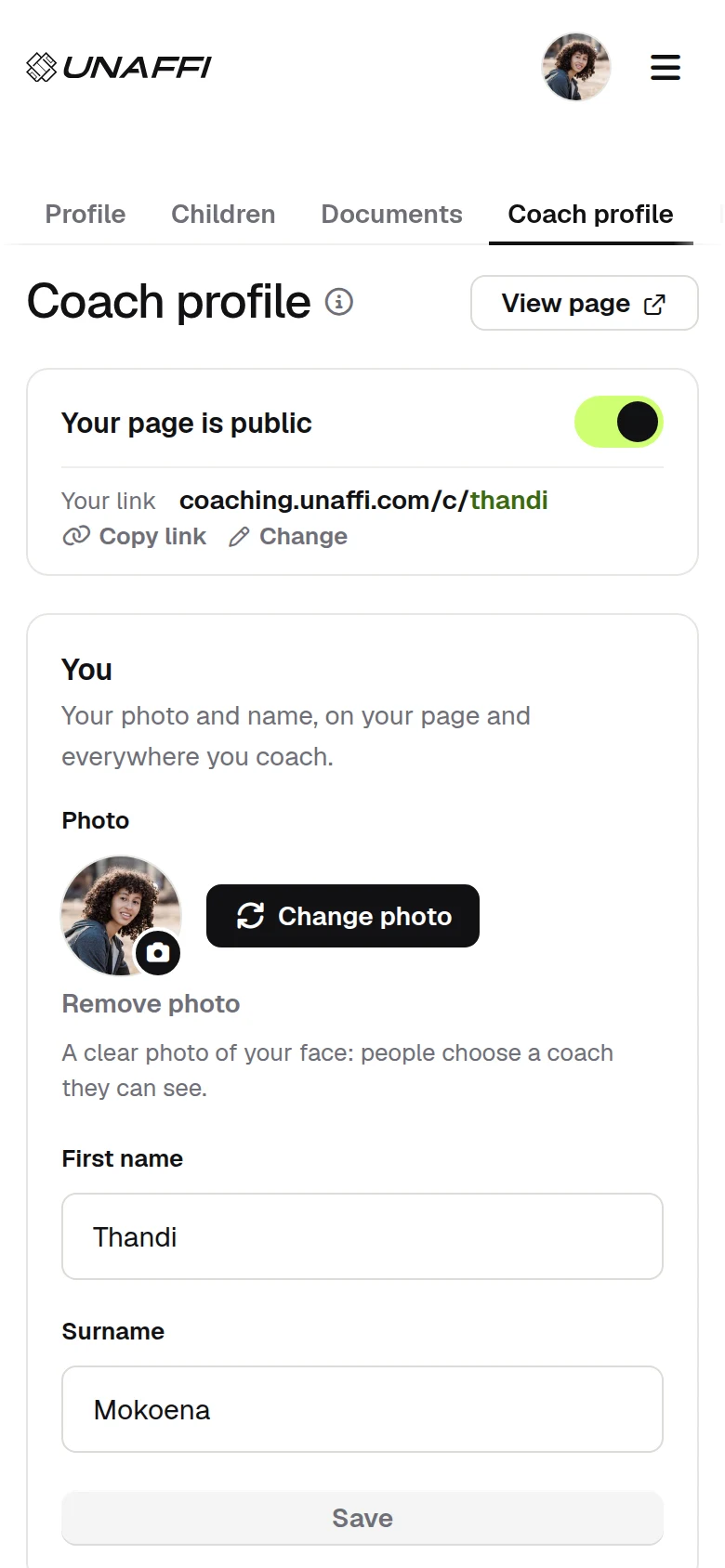
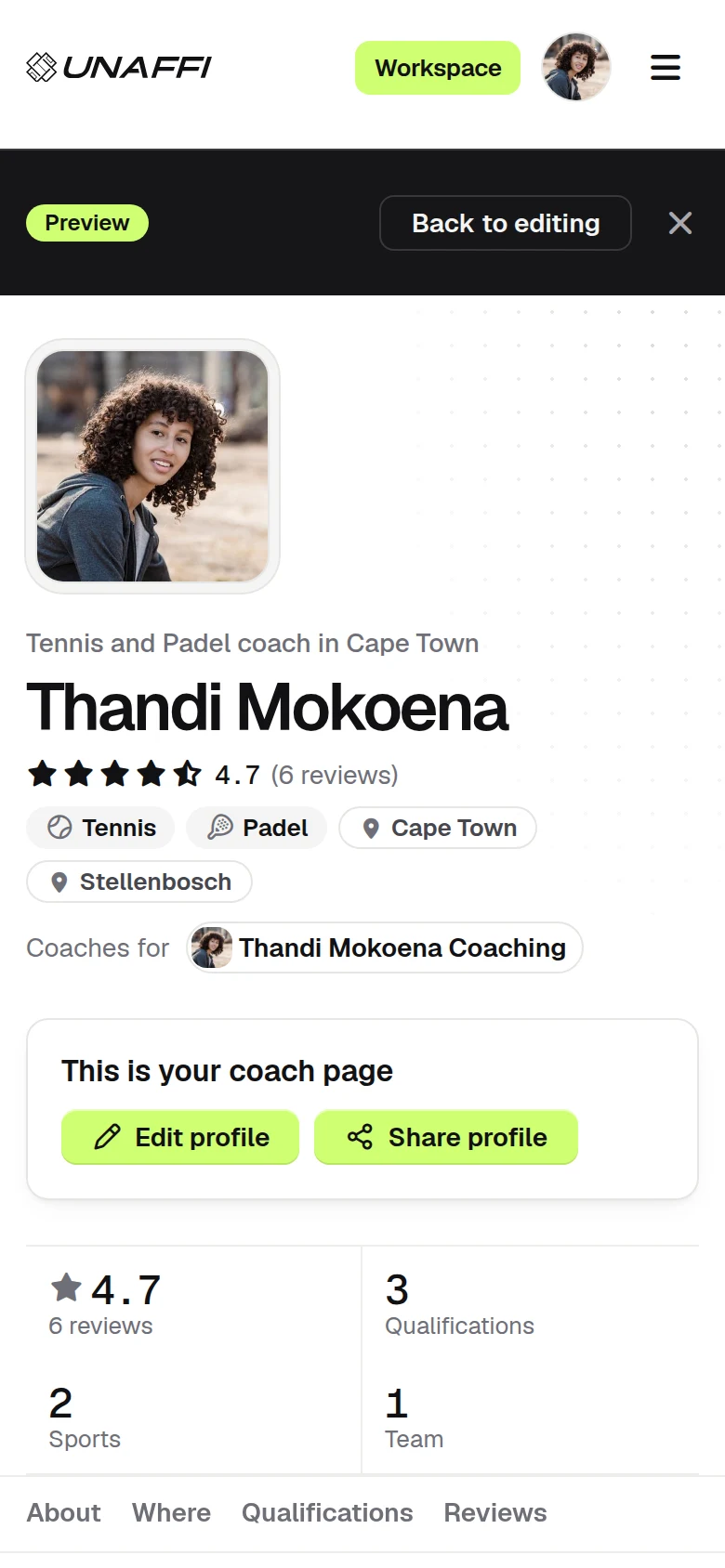
While your coach profile is public, open it (View page, at the top of Account › Coach profile) and press Share profile: in the box that says it's your coach page, or by your Reviews.
Your link is at the top of Account › Coach profile too, with Copy link. A hidden profile can't be shared: nobody else can open it.
Referral program, in the menu, has a different link: it's for the referral bonus program, to bring coaches to UNAFFI. To send your profile, use Share profile.
2. What gets sent
On your phone, your share sheet opens, so you can send it on WhatsApp, Messages, email or anything else you have. The message reads "See my coaching profile on UNAFFI. If I have coached you, I would love a review.", with a short link to your profile, and you can change the words before you send it. On a computer, the link is copied, ready to paste wherever you like.
3. Who to send it to
- the people you coach now, and the parents of the juniors you coach;
- people you've coached before, who'd say good things;
- your club or school, for their notice board or website.
Anyone with the link can see your profile, signed in or not. To leave a review, they sign in, open your profile and press Write a review.
4. Put it where people look
Your profile has a link that's easy to read out and remember, like unaffi.com/c/thandi. Choose the name in it in Account › Coach profile (press Change by your link at the top), then put it anywhere: your WhatsApp status, your Instagram bio, your email signature or a flyer at the club. Everyone who opens it sees your sports, your towns, how you coach, your prices, qualifications and photos, and your reviews.
5. Why it's worth it
When people choose between the coaches who applied to them, they see each coach's rating next to the application, "★ 4.7 (6)", before anything else. A few good reviews from the people you already coach can be what gets you the next client. See how reviews work.
Questions
Do people need an account to see my profile?
No. Anyone with the link can see a public profile. To leave a review, they sign in.
Why can't I share my profile?
A profile can only be shared while its page is public: nobody else can open it otherwise. Complete your coach profile, and switch Public page on at the top of Account › Coach profile if you switched it off: Share profile then shows on your page.
What is my profile link?
unaffi.com/c/ and a name: your first name, or your full name if your first name was taken. Copy it or change it at the top of Account › Coach profile. A changed link works straight away, and the old one stops working.
What does the message say?
"See my coaching profile on UNAFFI. If I have coached you, I would love a review." with the link. On a phone you choose the app (WhatsApp, Messages, email) and can change the words before sending.