Messages with your clients and their parents
Every client and every group has its own messages with your team: photos, videos, voice notes and polls, with a notification on their phone. Free.
· Updated
Every client on UNAFFI has messages with your team, and every group has messages that all its clients see. Send words, photos, videos, voice notes and documents, ask a question with a poll, and they get a notification on their phone. Nobody's number is shared, and it all stays beside the client's sessions and invoices.
1. Messages for every client
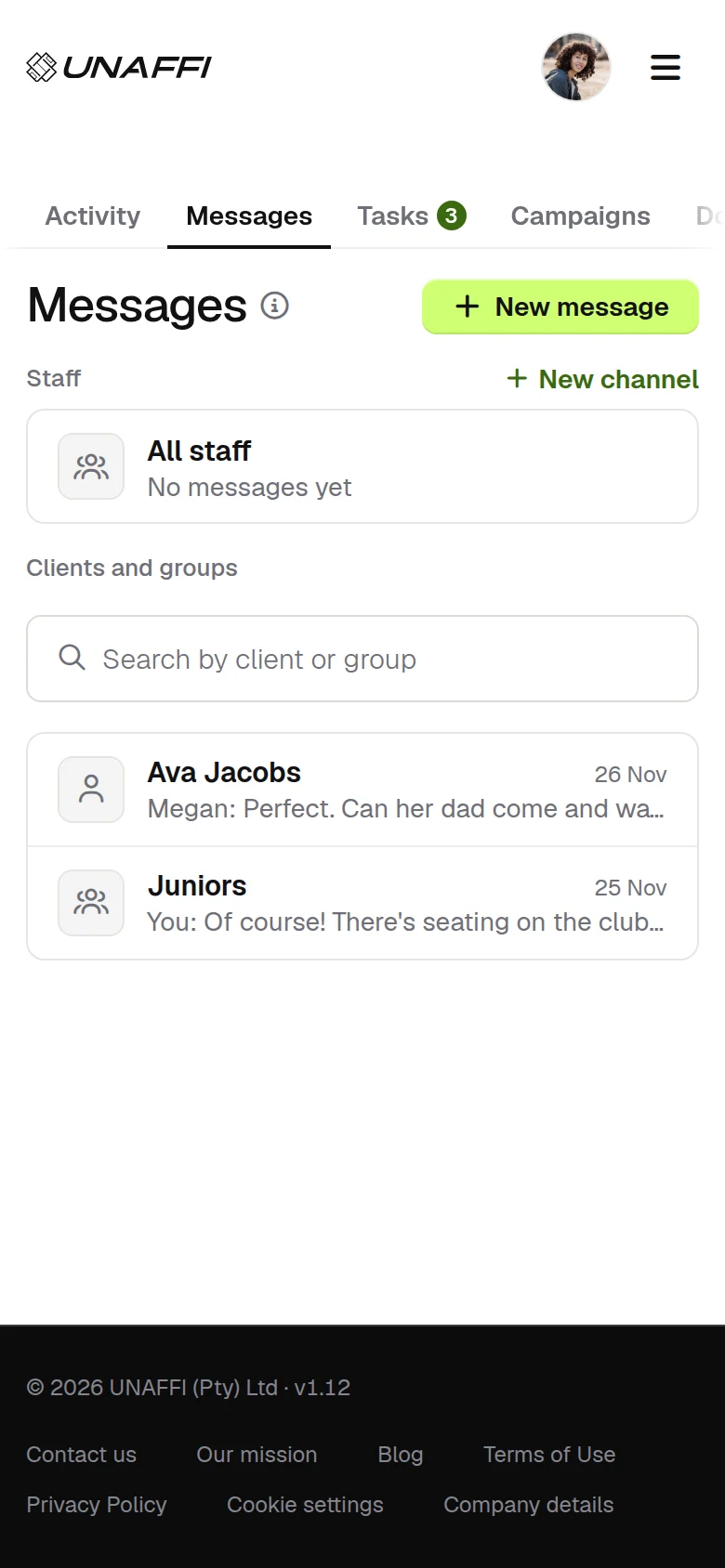
Messages in the menu has all your messages, the latest first, with how many are unread beside each. A client's own messages are also on their page, under its Messages tab. With CRM switched on, both are under CRM instead, and messages open first.
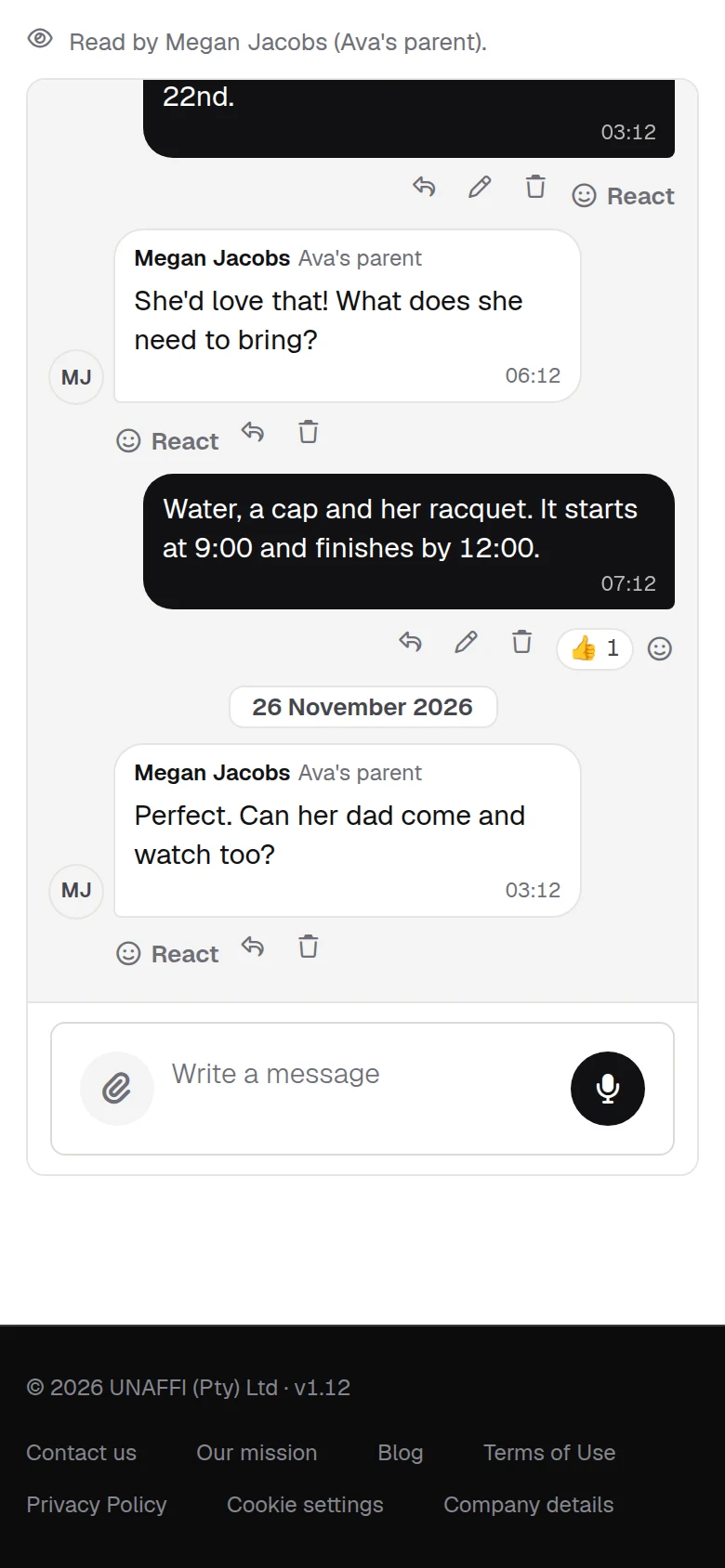
- Write up to 5,000 characters, and add photos, videos (up to 3 minutes), voice notes or documents, up to 10 to a message.
- Reply to a message to quote it, and react with 👍 ❤️ 🔥 👏 💪.
- Edit or delete your own messages. A deleted one shows "This message was deleted". Owners and admins can delete anyone's message in their team's messages.
2. A group's messages
Every group (your Juniors, say) has messages too, on the Messages tab of its page. Every active client in the group reads them, or their parents for a child, with the group's coaches and your team's owners and admins. Everyone in them can write, like a group chat: each family sees what the others write, with their names, but never their numbers or email addresses.
3. Polls
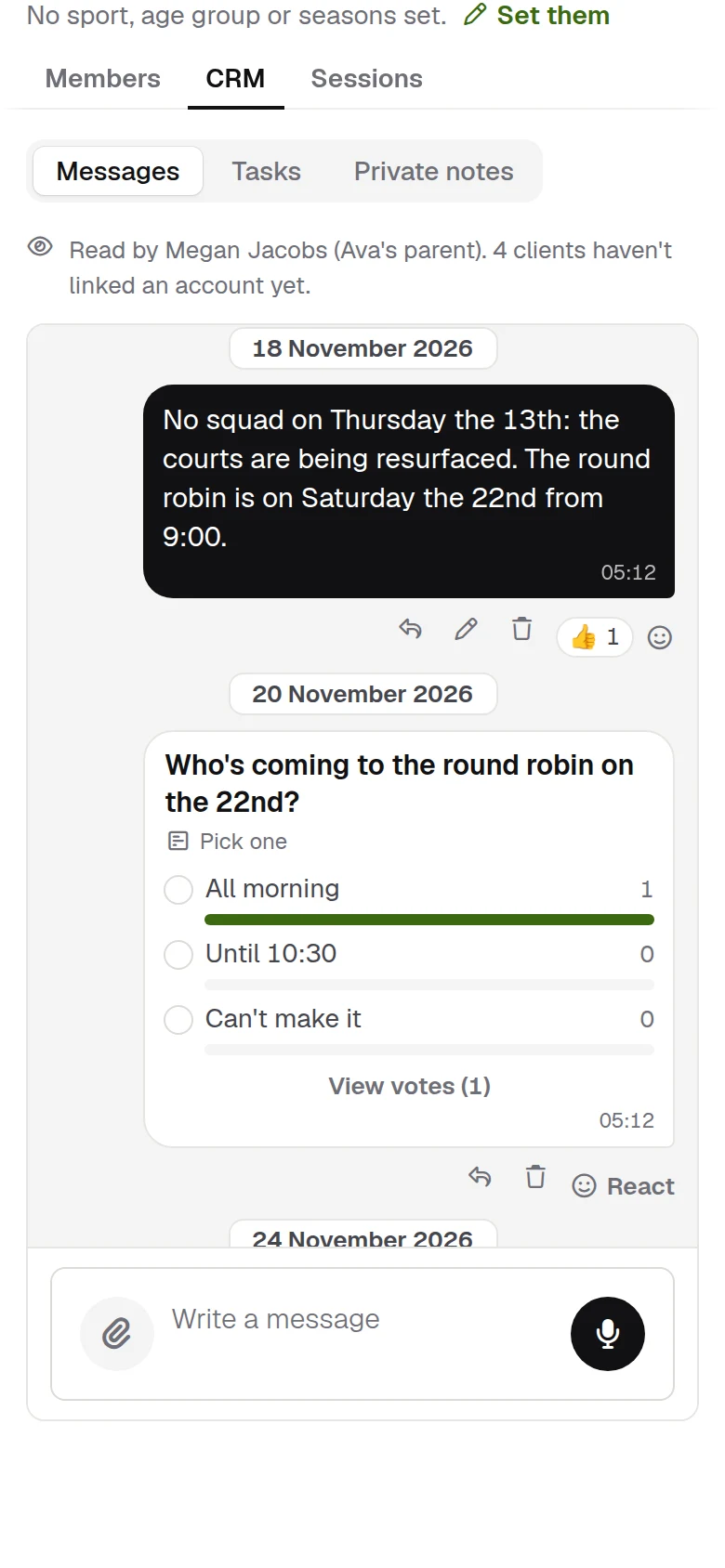
Who's coming to Saturday's round robin? Press 📎 and then Poll: write a question and 2 to 12 options, and switch on Allow multiple answers if people may pick more than one. Anyone in the messages can post one. Everyone sees the results as they come in, and View votes shows who picked what. People can change their vote, or take it back.
4. Notifications
Everyone in the messages gets a notification on their phone for new ones, once they've turned notifications on (how). The first unread message pings, and later ones quietly update it with a count: "3 new messages in Juniors". If they're still unread an hour later, one email follows. Without notifications, an email comes straight away. Reading them stops the reminders. Unread counts show beside Messages in the menu.
5. How clients and parents get in
Clients and parents read and write in their own UNAFFI account, free, once it's linked to them as your client:
- From your emails: every invoice, reminder or statement you send carries their personal link. They open it and sign in (or sign up) with that email address.
- From their Messages: while nobody reads a client's messages yet, press Email them their link there (once a day).
- From a request: someone you took on from their request on UNAFFI is linked already.
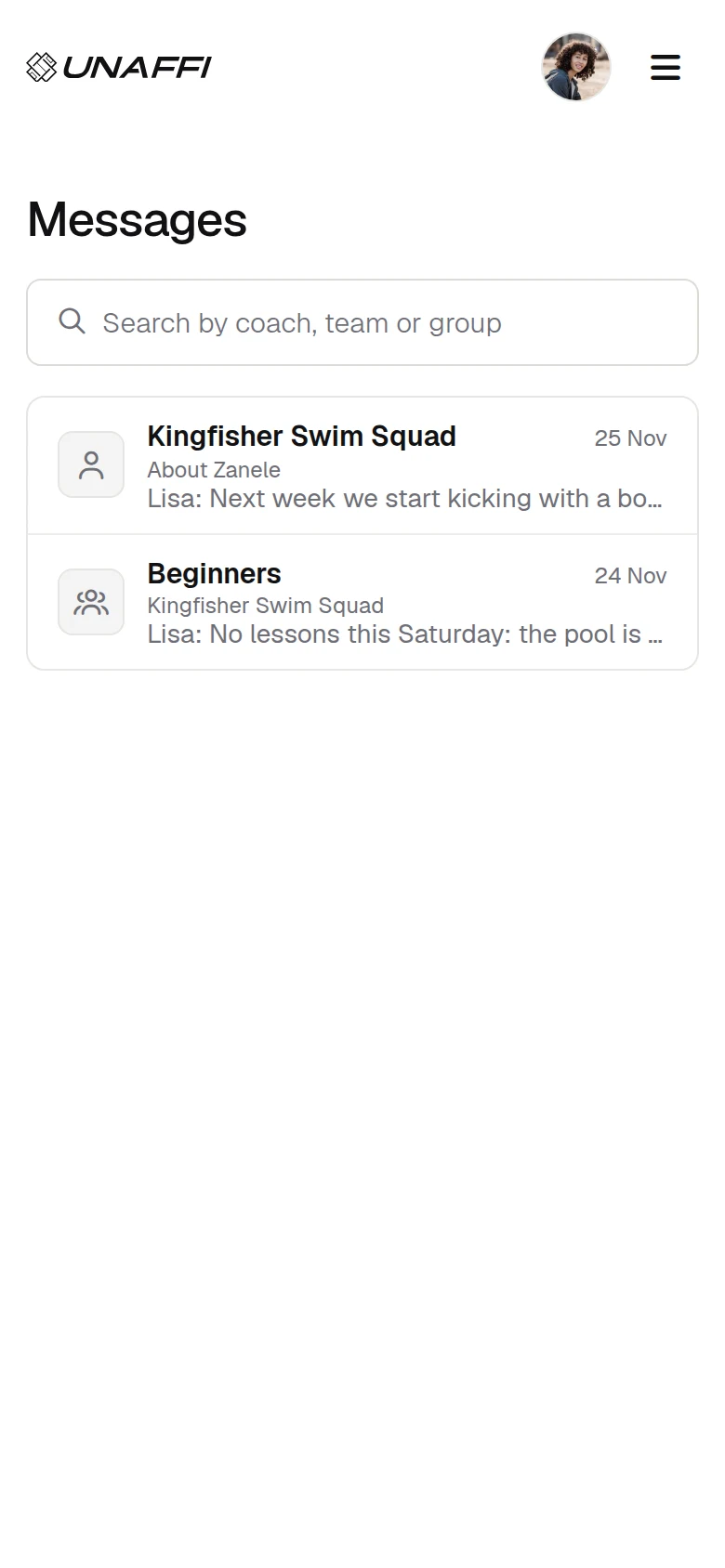
For a child, each parent or guardian links their own account. In their account, Messages comes first: their messages with each team or coach they (or each of their children) are a client of, and with each of their groups. More in what your clients see.
6. A request's messages
A client who came from a request they sent on UNAFFI has that request's messages on their Messages tab too, under "Request: …". It's the same conversation as on Applications, so their coaches can now read and answer it as well as whoever applied.
7. A child's messages are never private
A child's messages are always seen by your team's side (its owners and admins, and the child's coaches) and by their linked parents or guardians. A coach never messages a child privately. Children don't have UNAFFI accounts: it's their parents who read and write.
8. Who on your team sees them
Owners and admins see every client's and group's messages. A coach sees the messages of the clients they coach and the groups they coach, as with everything else about those clients. A coach who leaves the team stops seeing them.
On your team's side, the client's (or group's) coaches are notified of new messages. With no coach, its owners and admins are notified instead. Anyone else on your team who has written in the messages is notified too.
Messages are on every plan, Free too. Files your clients and their parents send count towards your plan's storage.
- For hosts
- Messages
- Clients
- Parents
- Groups
- Polls
- Notifications
- Photos
- Video
- Voice notes
- Teams
- Privacy
Questions
Do my clients need a UNAFFI account to read my messages?
Yes, a free one, linked to them as your client. They link it from the personal link in your emails (an invoice, a reminder or a statement), or you press Email them their link on their Messages. Until someone's linked, nobody reads that client's messages. Someone you took on from their request on UNAFFI is linked already.
Can a coach message a child privately?
No. A child's messages are read by their linked parents or guardians and by your team's side: its owners and admins, and the child's coaches. Children don't have UNAFFI accounts, so it's their parents who read and write.
Do parents in a group see each other's messages?
Yes. A group's messages are like a group chat for everyone in it: each family sees what the others write, with their names, but never their numbers or email addresses.
Can I delete a message?
You can edit or delete your own messages. Owners and admins can also delete anyone's message in their team's messages. Everyone then sees "This message was deleted" in its place.
Why not a WhatsApp group?
Nobody's number is shared, a coach who leaves the team stops seeing your clients' messages, and a child's messages are always seen by their parents and your team. Everything stays with the client, beside their sessions and invoices.
Do messages cost anything?
No. Messages are on every plan, Free too, and they're free for your clients and their parents. Files your clients send count towards your plan's storage.