Hire out your courts, fields and halls online
Let people book and pay for your courts, lanes, bays and halls online, with peak, off-peak and member prices. Quote for bigger hires, all on one calendar.
· Updated
Padel courts by the hour, a swimming lane, a cricket net, a school hall for a prize-giving: let people book and pay for them online, and see every booking on the same calendar as your coaching. Here's how.
1. Add your facilities
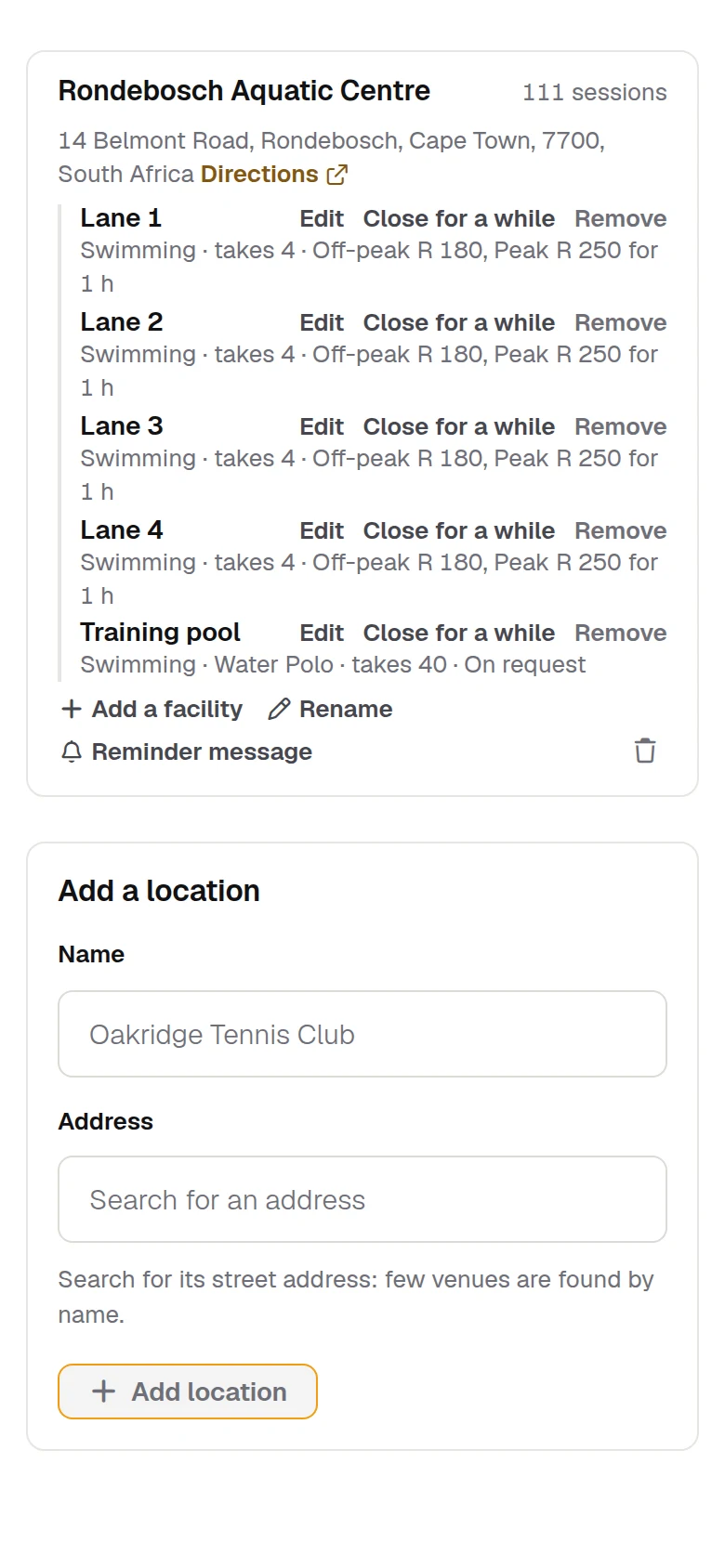
Switch on Facility hire in Settings › Customise, if it isn't on: a new venue starts with it. Then go to Schedule › Locations, add the place, and press Add a facility for each court, lane, field or hall: its name, its sports, and how many people it takes.
Something made of others, like a hall made of two courts, says so under What it's made of: hiring the hall holds both courts, and hiring a court holds the hall.
2. Choose how it's hired
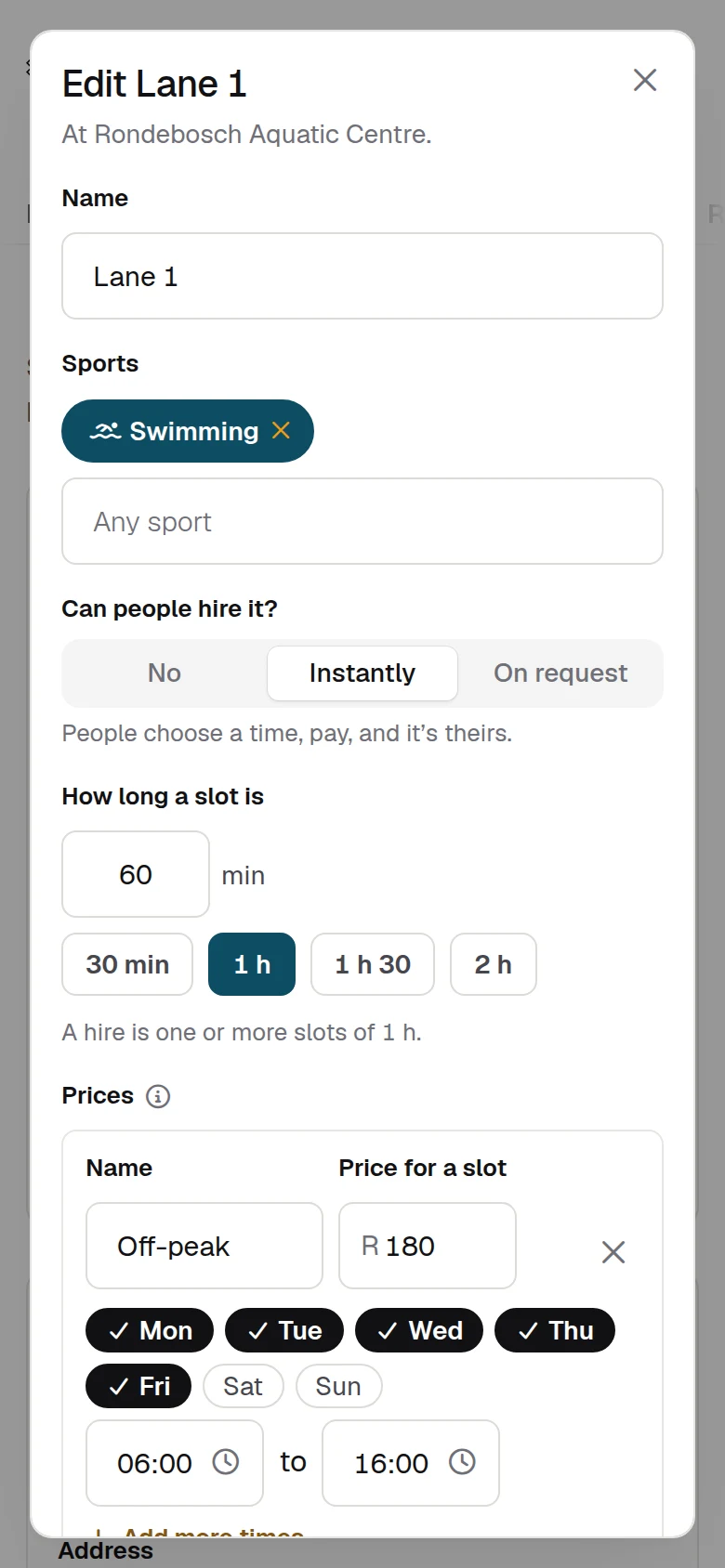
Under Can people hire it?, choose one:
- Instantly. People choose a time, pay, and it's theirs. Type how long a slot is, in minutes: anything from 15 minutes to 8 hours, in fives, like 45 or 50, with the usual lengths a tap away. Then your prices, each for one slot, however many play, with the days and times it applies: Off-peak, weekdays 06:00 to 16:00, R 180; Peak, R 250. Those times are its opening hours. Give members their own price on any of them. Then say how far ahead it can be hired, until when people can cancel, and how many slots one booking can have.
- On request. People ask for a quote, for a big hire or a long one: a gala, a camp, a function.
More players need longer, as on a golf simulator? Add its games (9 holes at 30 minutes a player, 18 holes at an hour): people pick one and say who's playing, and that sets how long they hire the bay for. It's still priced by the bay's time: three players of 18 holes hire it for 3 hours, at your price for each slot. Without games, set the minutes for each player, and a hire is at least that long for each of them.
3. People hire from your page
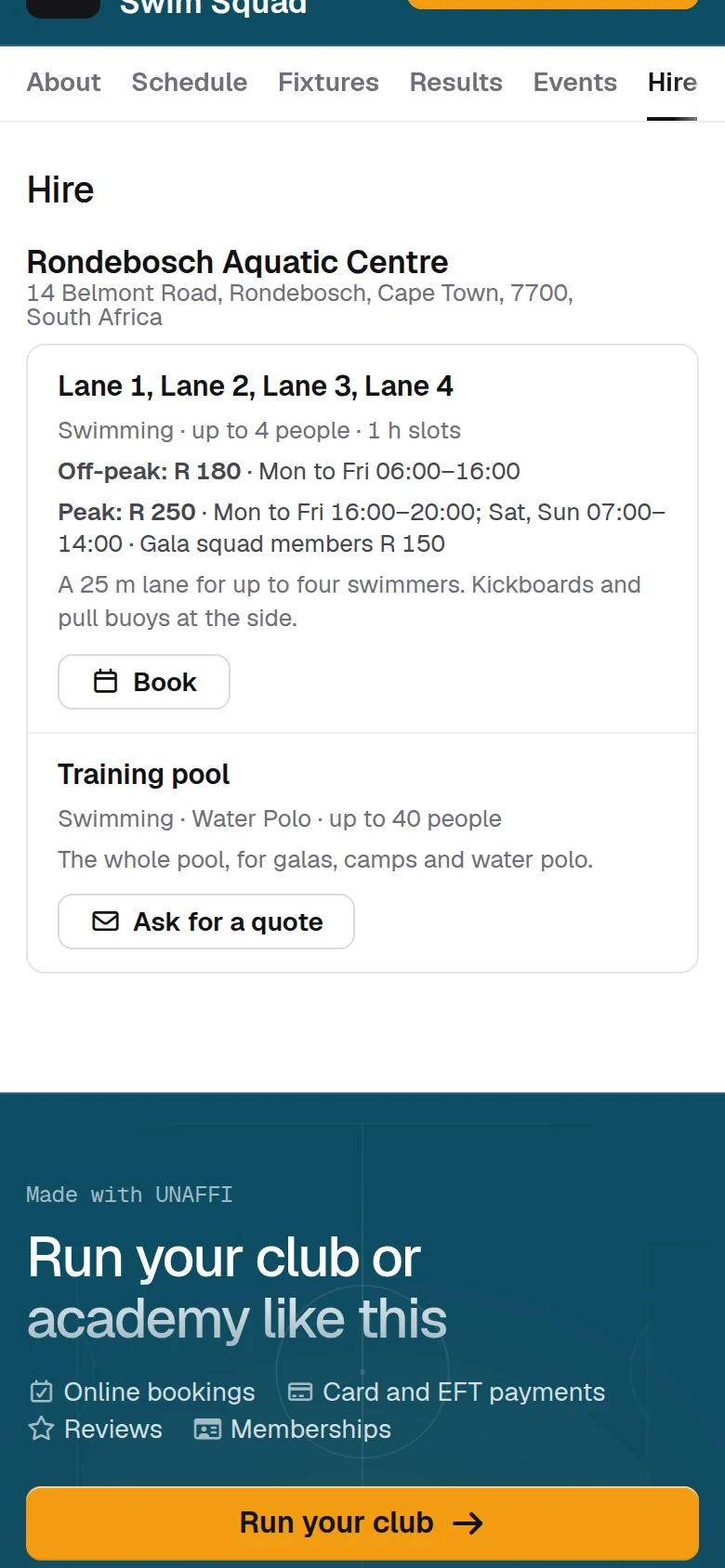
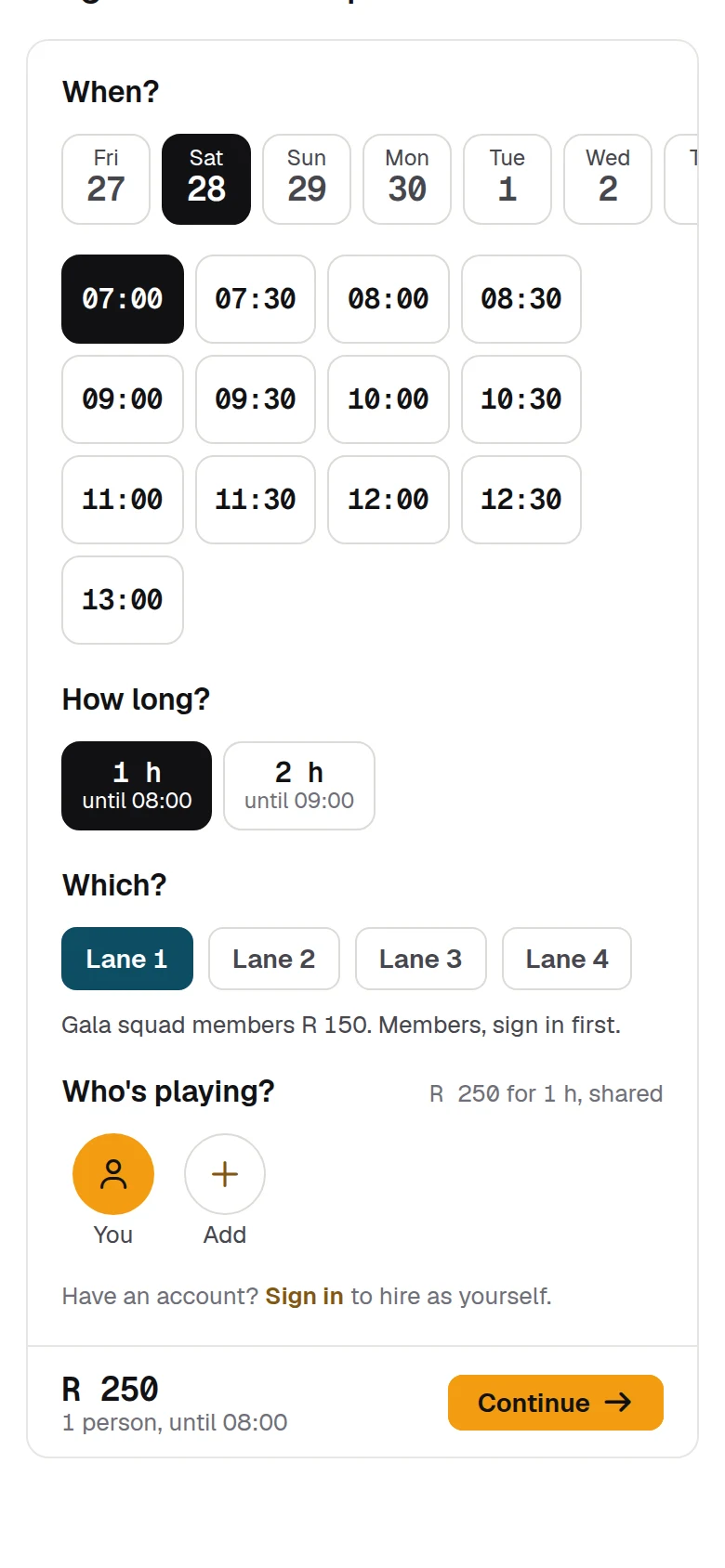
Your page gets a Hire tab, with each facility (alike ones together, like four lanes), its prices and a Book button. People choose a day, a free time, how long and which court, and who's playing. They pay by card, and it's theirs. Members sign in to get their price.
Friends can split the cost: the person booking adds them as open spots and shares the link, and each friend pays their share. Whatever isn't paid by the start comes off their card. You can also put the Hire tab on your own website, from Settings › Page.
4. Every booking on one calendar
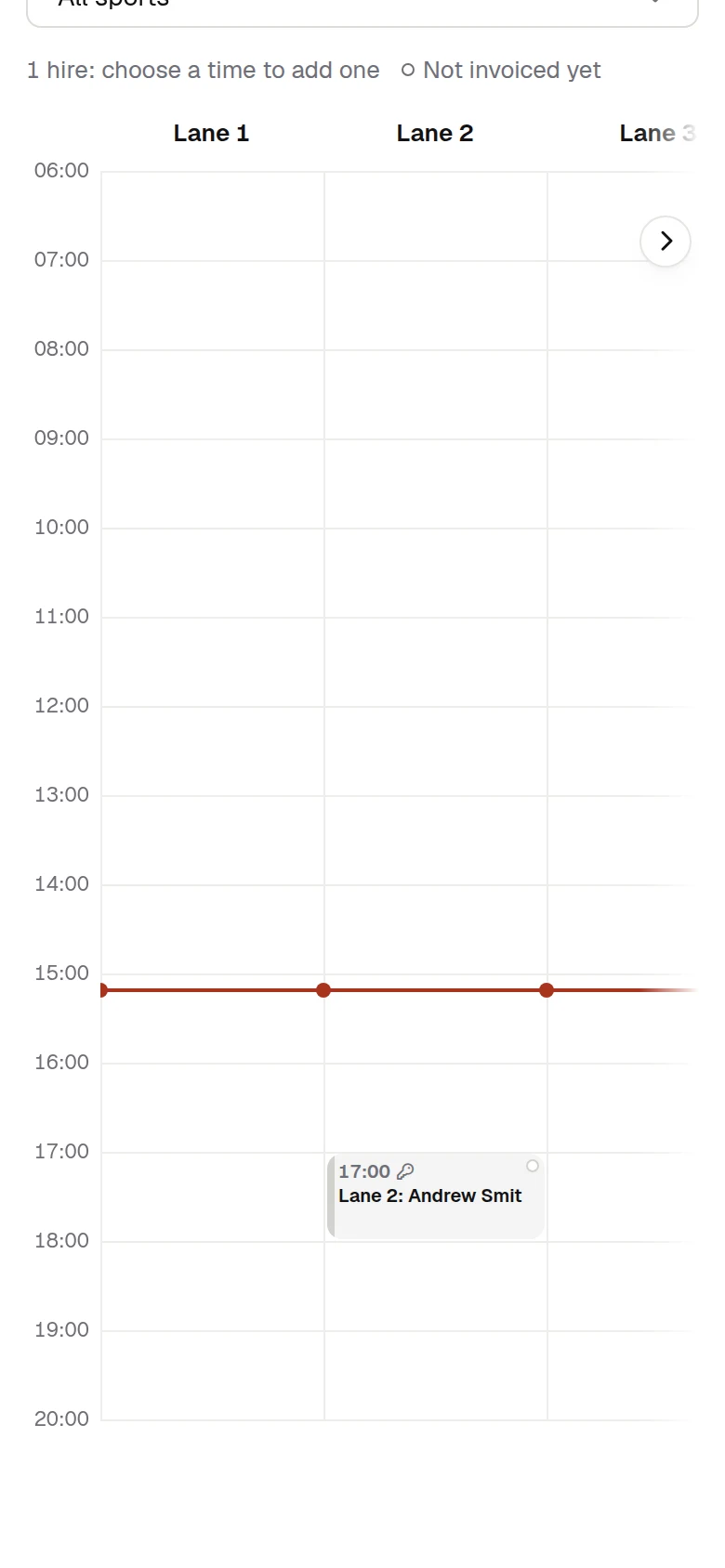
Hires show on your schedule with a key. Choose a facility at the top to see its bookings, or All at a location to see a day with a column for each facility. Anything on a facility holds it, so a court with a session, a match or a hire on it can't be hired then.
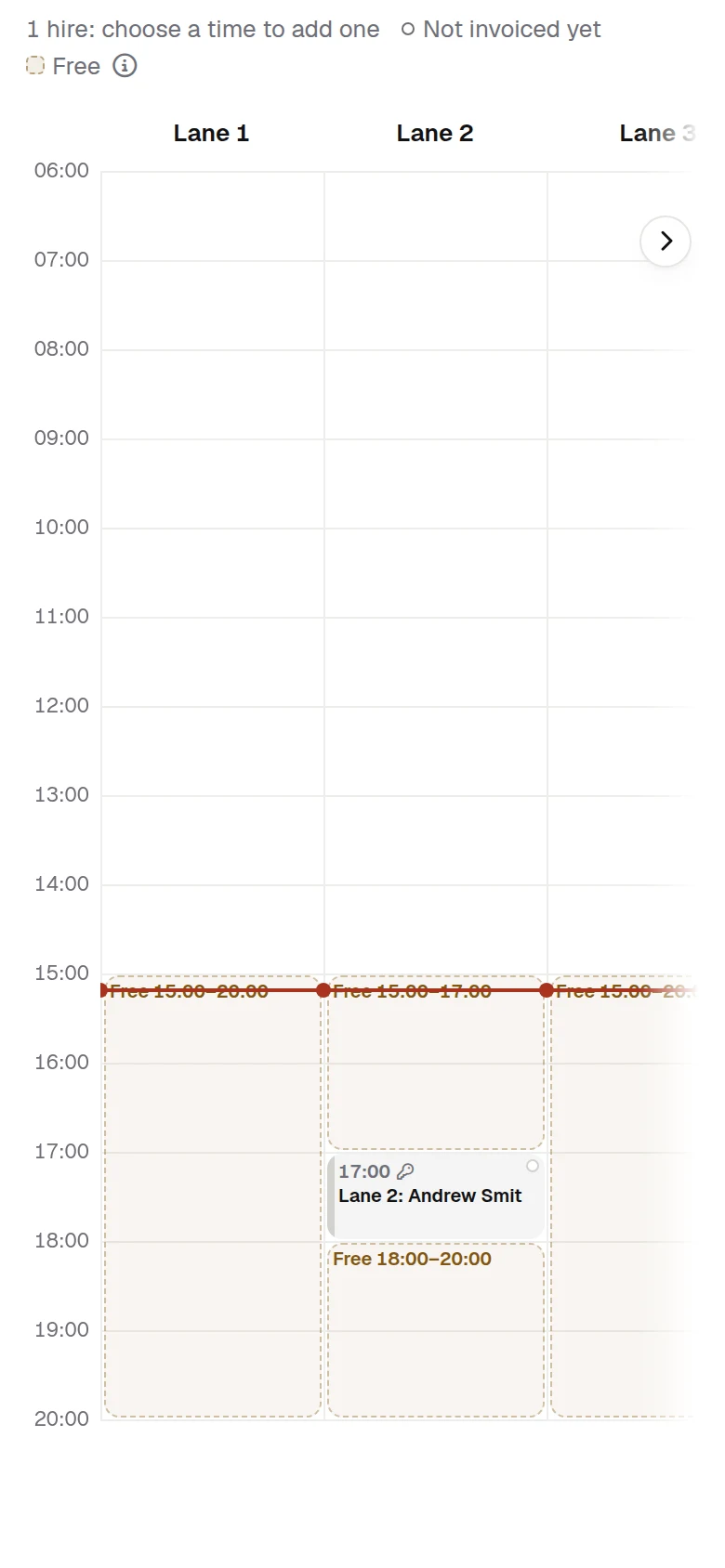
Switch on Free times on the schedule to see when your facilities are free, behind what's on: a day by a location's facilities, or a week of one. Tap a free time to add a session there, holding the facility.
To hire one out yourself, add a Hire on the calendar and choose the facilities and who it's for. To close one for maintenance or a public holiday, press Close for a while beside it under Locations.
5. Quote for bigger hires
A facility on request has an Ask for a quote button. People say when, how many are coming and what it's for. Anyone can also ask every venue near them at once, from Find a facility.
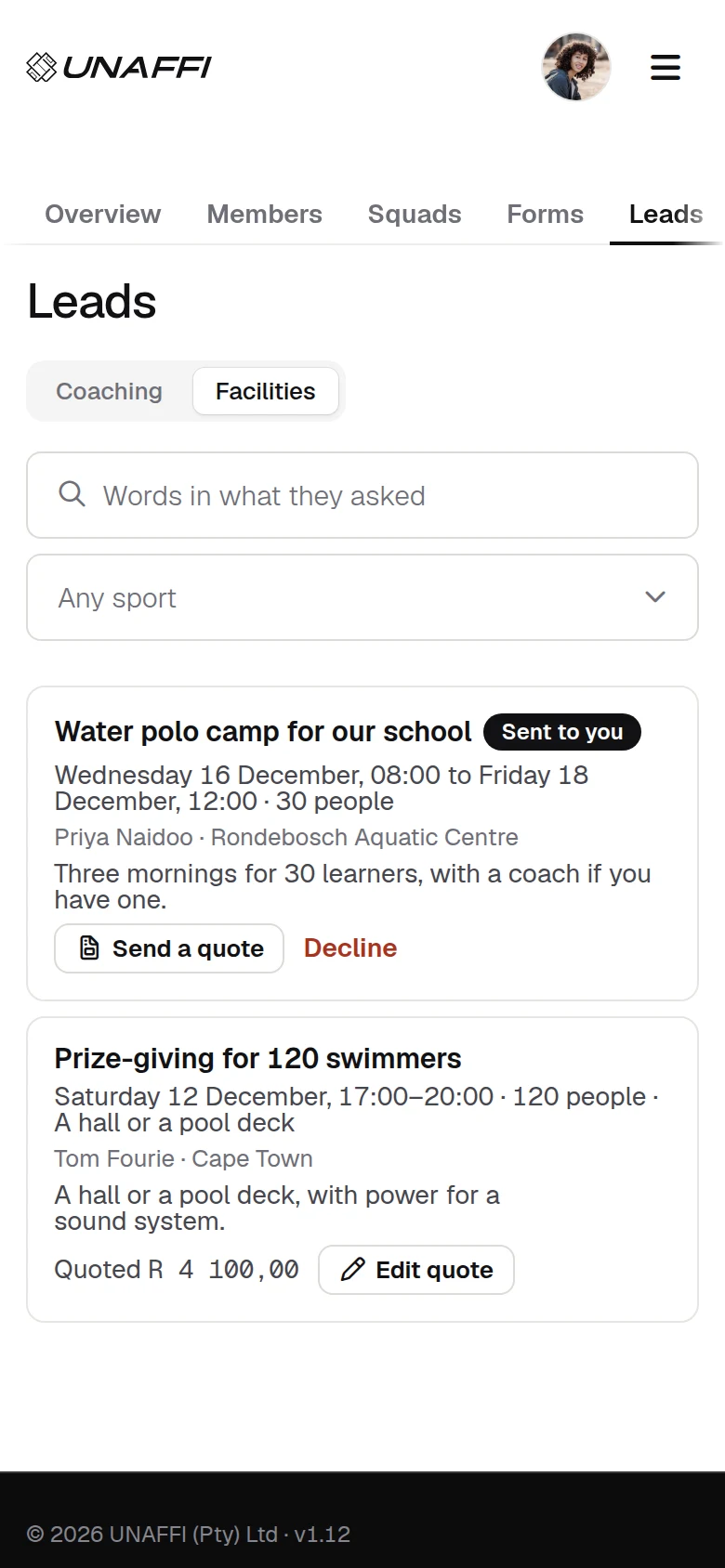
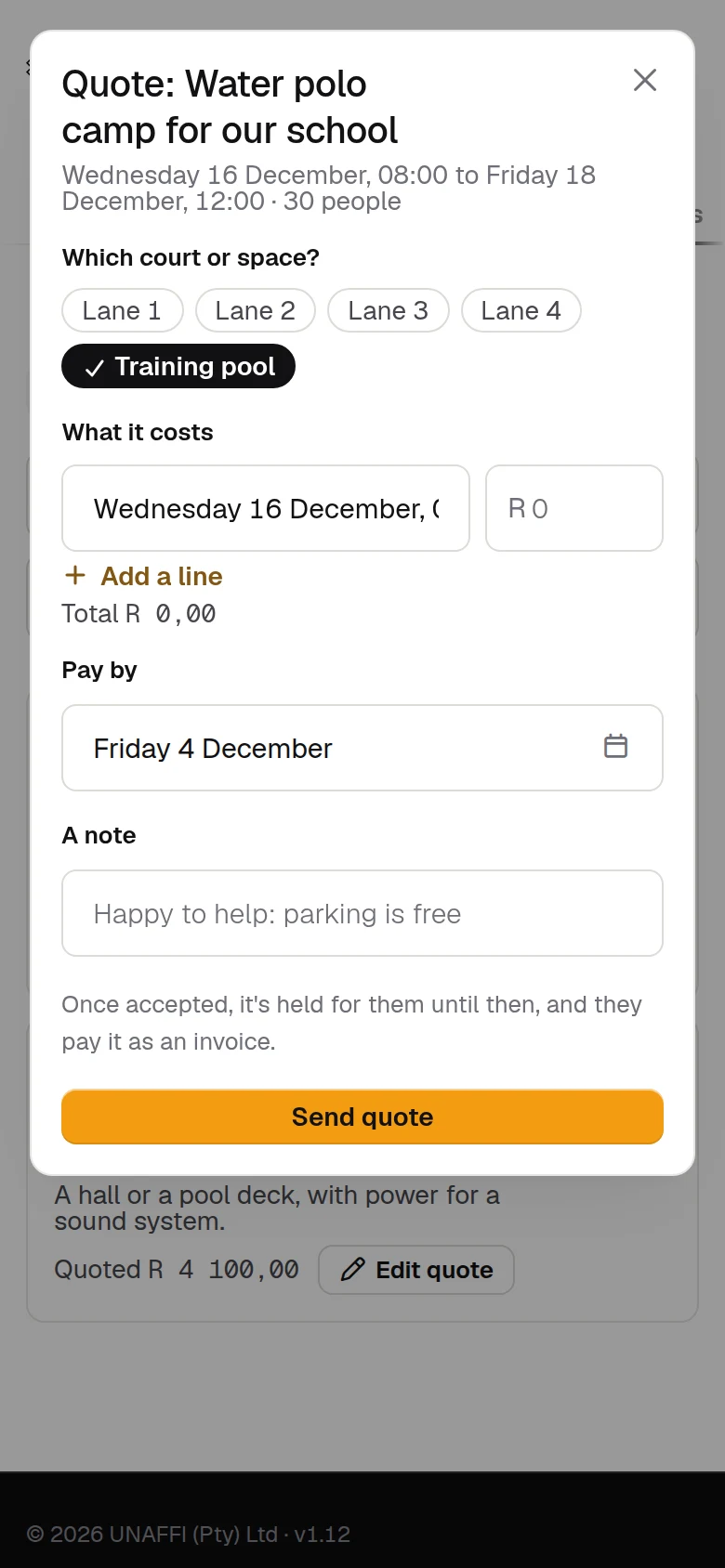
Requests show under Clients › Leads, those sent to you first. With Finding clients on as well, they're on its Facilities tab, beside requests for coaching. Press Send a quote: choose the facilities, add a line for each thing with its price, the day it must be paid by, and a note. They're emailed a link to every quote they get.
When they accept yours, it's pencilled in on your calendar, and they get an invoice to pay by card, or by EFT if you take it. Paid, it's theirs. Not paid by its day, it's released, unless you give them longer. You can decline a request sent to you, and they're told.
Questions
Are the people who hire my clients too?
Yes. Whoever hires, and everyone playing, is one of your clients, called by your word for them. Filter your clients by Facility hire to see only your hirers, or everyone else, like a school's learners. With both, you could call them all people, in Settings › Customise.
Can a court be booked twice?
No. Anything on a facility holds it: a hire, a session, a match or a closure. A whole made of parts (a hall made of two courts) is held when either part is, and the parts when the whole is.
How long can a slot be?
Any number of minutes from 15 to 8 hours, in fives: 45, 50 or 90, say. A hire is one or more slots in a row.
What if more players need more time?
Add games, as for a golf simulator: 9 holes at 30 minutes a player, say. People pick one and say who's playing, and that sets how long they hire it for, priced by its slots. Without games, set the minutes for each player.
Can friends split the cost?
Yes. The person booking adds friends as open spots and shares the link; each friend pays their share. Whatever isn’t paid by the start comes off the card of the person who booked.
Can people cancel?
Up to the hours before that you set. What they paid becomes credit with you for their next booking.
What does quoting cost?
A request sent to you from your page is free to quote for. Quoting for a request near you uses one of your plan's applications that month, or an application credit, as applying to a coaching request does.
What does it cost?
Nothing extra from UNAFFI: hiring is on every plan, and UNAFFI takes no cut. Paystack's fee comes off each payment before it reaches your bank account.