Customise your workspace: switch on what you offer, and use your own words
Switch on only what you offer, like teams, memberships or a CRM, and your menu follows. Call your clients members or learners, and see how it reads as you type.
A swim coach, a tennis club, a school and a padel venue need different screens, and use different words. Settings › Customise has two parts: Features, to switch on what you use, and Words, to call things what your people call them. It's for your owners and admins.
1. Switch on what you use
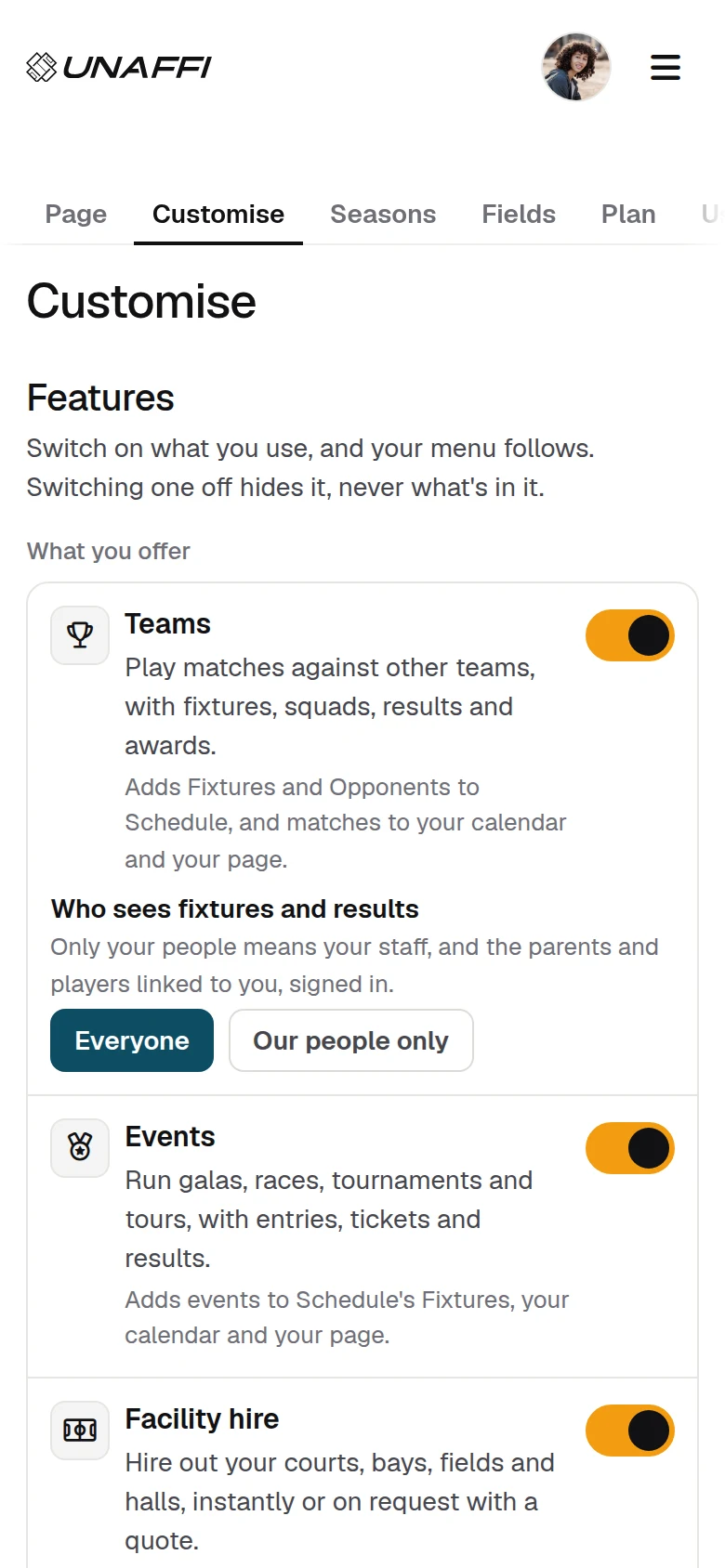
Each feature is a switch, with what it does and where it shows. Switch one on, and your menu follows straight away. Switch one off, and its screens are hidden, never what's in them: switch it back on and everything is as it was.
Under What you offer:
- Teams: matches against other teams, with fixtures, squads, results and awards. It adds Fixtures and Opponents to Schedule. With it on, choose who sees your fixtures and results: everyone, or only your people, signed in. See fixtures and results.
- Events: galas, races, tournaments and tours, with entries, tickets and results. See how to run an event.
- Facility hire: courts, bays, fields and halls, hired instantly or on request with a quote. It adds a Hire tab to your page. See hiring out your facilities.
- Memberships: clients join from your page and are invoiced a set amount every week, month or year. It adds Memberships to your menu and Recurring to Finance. See memberships.
Under Tools:
- Finding clients: requests from people near you looking for a coach, and your applications to them, under Clients. See finding clients.
- CRM: activity, tasks, and campaigns by email or push, beside your messages. See the CRM.
- Forms and documents: forms people fill in to join, book or become a client, and documents for them to read or accept. See forms and documents.
- Programs and TVs: workouts you plan and show on a TV or screen at your sessions, with their clocks. See programs on a TV.
- Reports: your numbers, from attendance to results, and your coaches' write-ups of their sessions.
- Bookkeeping: upload bank statements, match the money in to your invoices, and keep your expenses, under Finance. See sorting your bank statement.
Your clients and groups, the calendar, messages, invoices and payouts, Staff and Settings are always there. Features are never priced: any host can switch any of them on, on any plan.
2. What you start with
A new host starts with only the obvious ones for what it is, so its menu starts small:
- A coach: Finding clients.
- A club or academy: Teams, Memberships and Finding clients.
- A school: Teams and Memberships, called registrations.
- A venue: Facility hire and Memberships.
- An event organiser: Events, and Forms and documents.
Switch on the rest when you need them. If something you used is missing from your menu, switch it on here: nothing in it was lost.
3. Use your own words
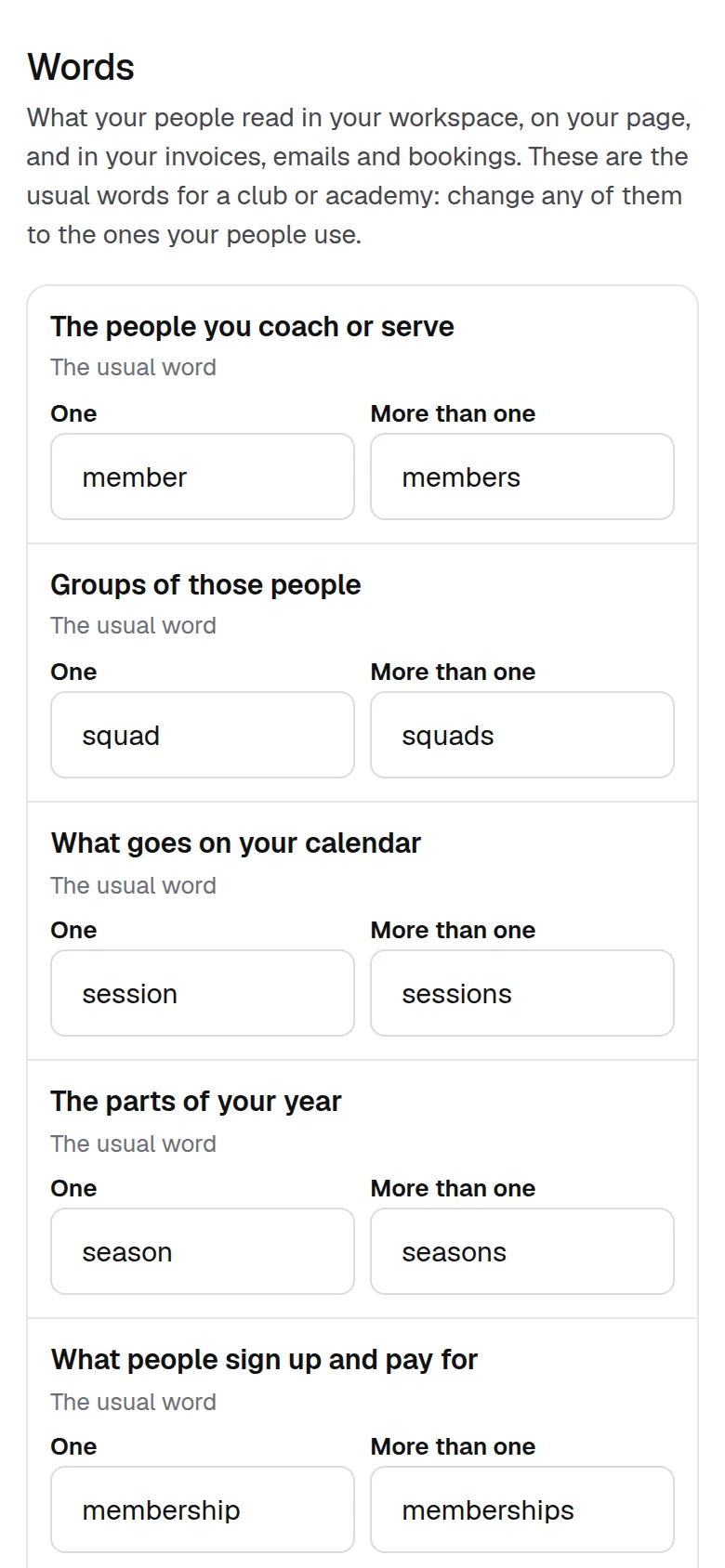
A club has members in squads, a school has learners in teams, and a venue has customers with bookings. Under Words, choose what your people read for six things:
- The people you coach or serve: clients.
- Groups of those people: groups.
- What goes on your calendar: sessions.
- The parts of your year: seasons.
- What people sign up and pay for: memberships.
- The people who coach for you: coaches.
Each has a word for one and a word for more than one. Type the first, and the second follows, unless you've typed your own. How it reads shows a sentence in your words as you type. Press Save, and they change everywhere: your workspace, your page, and your invoices, emails and bookings. A word you've changed has a link back to the usual one.
4. The usual words
Each kind of host starts with its usual words:
- Coach: clients, groups, sessions, seasons and memberships.
- Club or academy: members, squads, sessions, seasons and memberships.
- School: learners, teams, practices, terms and registrations.
- Venue: customers, groups, bookings, seasons and memberships.
- Event organiser: entrants, groups, sessions, seasons and memberships.
Every host starts with coaches, which a gym might call trainers. What a host is gets chosen once, when it starts: a coach's own coaching is a coach, and a new team picks what it is. If yours is wrong, press Ask us to change it under Words, and we'll change it for you.
Questions
Do features cost extra?
No. Features are never priced: any host can switch any of them on, on any plan, Free too. Plans differ only in their limits, like how many staff and active clients they have room for.
What happens when I switch a feature off?
Its screens and the links to them are hidden, and nothing in them is deleted. Switch it back on and everything is as it was.
Do my clients see my words?
Yes. Your words are used wherever your people read: your workspace, your page, and the invoices, emails and bookings they get.
Who can customise a workspace?
Its owners and admins, under Settings › Customise. Coaches on your staff work in it as it is set.
Can I change what kind of host I am?
It's chosen once, when you start. If it's wrong, press Ask us to change it under Settings › Customise, and we'll change it for you.