Terms, seasons and age groups: plan your year and place people in groups
Add your terms or seasons, choose the day age groups are counted on, and set up groups by sport and age group. Each new member is placed in the group they fit.
A school's sport runs in terms and a club's in seasons, with teams for each age group. Add your terms once, choose the day ages are counted on, and each new member goes in the group they fit. Here's how.
You'll see your own words: terms, learners and teams at a school, and seasons, members and squads at a club. This guide says terms, clients and groups. Rename any of them in Settings › Customise.
1. Add your terms
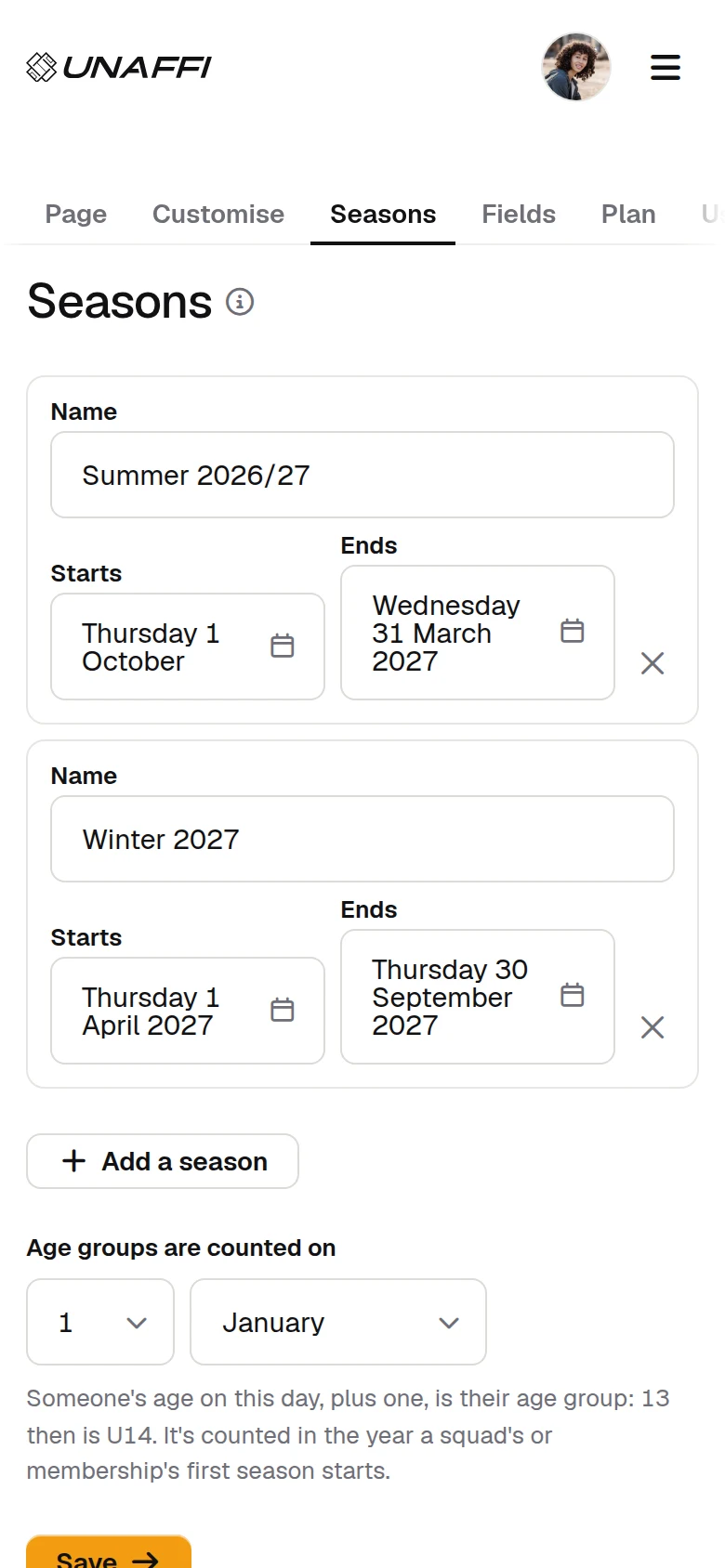
Go to Settings › Terms (Seasons, unless you're a school) and press Add a term. Give each one a name, like Term 1 2027 or Summer 2026/27, and the days it starts and ends, then Save. Owners and admins set them up.
While a group, a membership or a repeating session is for a term, the term stays: take it off them first.
2. Choose the day age groups are counted on
On the same page, under Age groups are counted on, choose a day and a month: 1 January unless you change it. Someone's age group is their age on that day, plus one, in the year a group's or a membership's first term starts. Born on 15 March 2013, a child is 13 on 1 January 2027, so U14 for 2027.
3. Set up groups by sport and age group
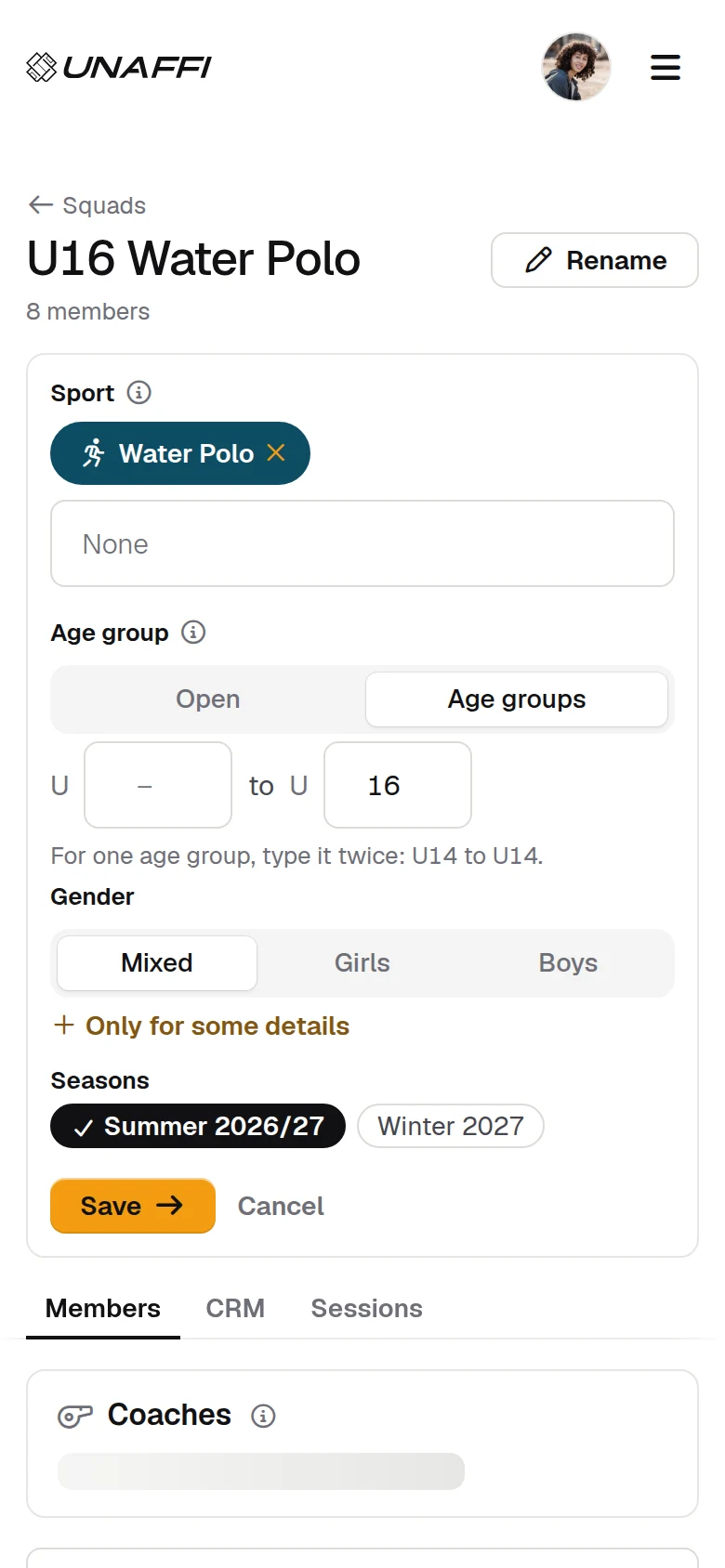
Under Clients › Groups, add a group by its name, like U14 Girls A. On its page, press Set them under the name and choose:
- Sport: groups with one are listed under it.
- Age group: Open, or a range such as U13 to U15. For just one, type it twice: U14 to U14.
- Gender: Mixed, Girls or Boys.
- Terms: the ones it plays in.
The group then shows them under its name ("Hockey · U14 girls · Term 1 2027"), with Change beside them. Link a group to a session to add everyone in it at once: whoever joins the group later goes on its sessions to come.
4. Place people in groups
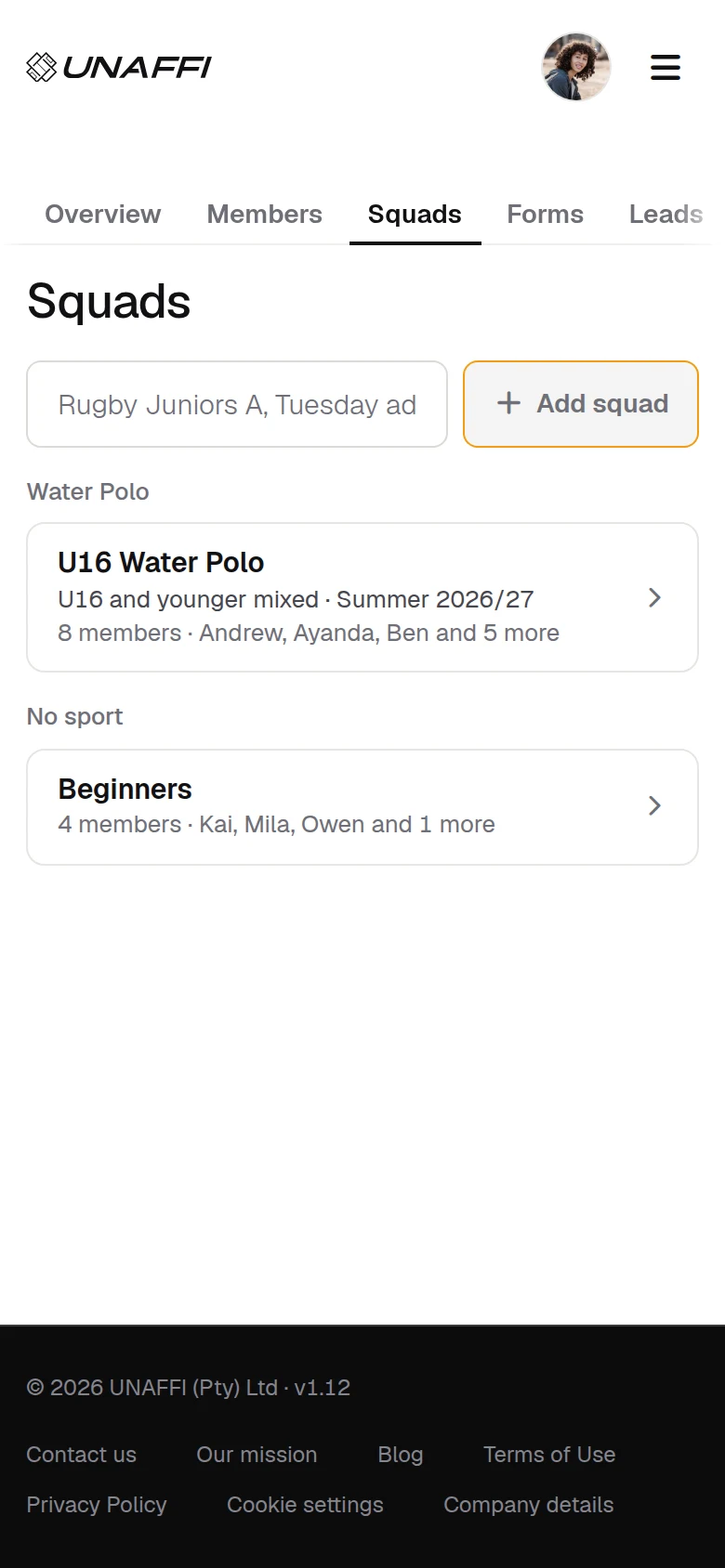
Give a membership a sport and its terms. If Memberships isn't in your menu, switch it on in Settings › Customise. Each person who joins is put in the group they fit (its sport, terms, age group and gender) and on its sessions to come. Or, under Placing members, choose Pick groups and name them yourself.
Someone waits to be placed when no group fits them, several do (U14A and U14B), the one that fits is full (a group holds 100), or there's no date of birth to go by. Owners and admins see how many on Groups (3 to place, say). Open it to see why for each person, then tap a group that fits, or choose any other. After you add more groups, Place automatically puts in everyone who now fits just one.
Someone who leaves comes out of their group and off its sessions to come. When the last term ends, the groups stay as they were.
5. What else your terms do
- Memberships: places end when the last term does. A free one, like a school's registration for a sport, is never invoiced.
- Repeating sessions: pick the terms under Only during, and no sessions are made in the holidays between them, or after the last.
- Clients: filter your list by term (in a group or on a membership for it), by age group, and by sport.
- Reports: attendance, participation and results for a term.
Questions
How is an age group worked out?
It’s someone’s age on your cut-off day, plus one, in the year the first term starts. With the cut-off on 1 January, a child born on 15 March 2013 is 13 on 1 January 2027, so U14 for 2027.
Can I count age groups from another day?
Yes. In Settings › Terms (or Seasons), choose any day and month under Age groups are counted on. It’s 1 January unless you change it.
Can I take a term off?
Yes, once nothing uses it. While a group, a membership or a repeating session is for it, take it off them first.
What if someone has no date of birth?
Groups with age groups need one, so they wait under To place with a note to add it. Add it on their page, then place them.
What does it cost?
Nothing extra: terms, groups and placing work on every plan, Free included. Placing comes with Memberships, which you switch on in Settings › Customise.